Find your next server.
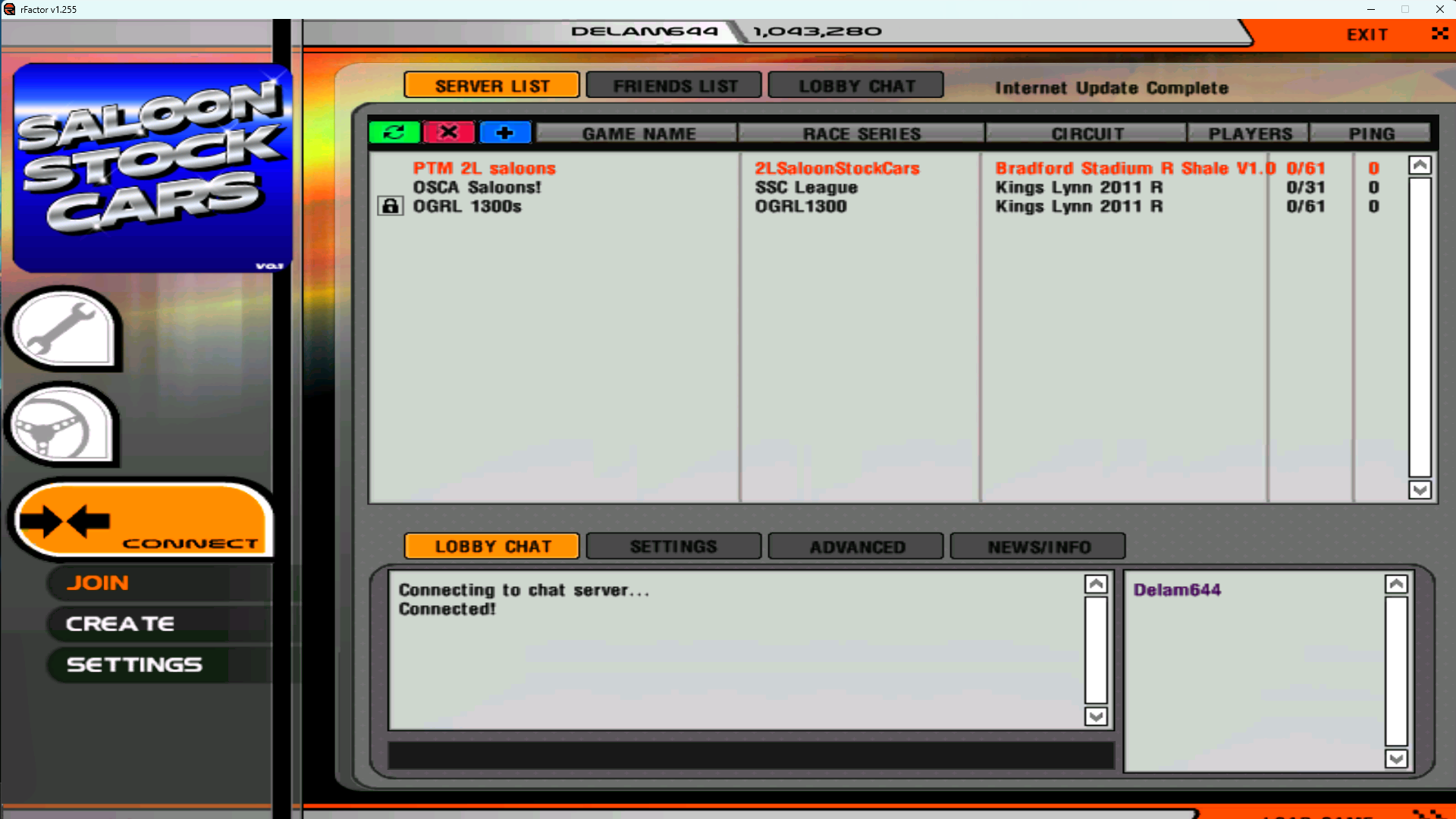
Registered dedicated servers appear in the in-game multiplayer list, ready for drivers to browse and join.
 DELAMSrFACTOR MATCHMAKER
GET v2.6
DELAMSrFACTOR MATCHMAKER
GET v2.6
BUILT FOR THE ORIGINAL rFACTOR
Back in the lobby. Back to racing.
Server browsing, lobby chat and News/Info, restored for rFactor 1. A community replacement that brings drivers and dedicated servers back together.
SAME GAME. NEW CONNECTION.Already using an earlier release? Run the latest installer to switch to the VPS gateway.
See what changedTHE ORIGINAL MULTIPLAYER EXPERIENCE
Find a race from inside the game, catch up in the lobby and get on track. No separate server browser needed.
Registered dedicated servers appear in the in-game multiplayer list, ready for drivers to browse and join.
Shared chat and the player list reconnect the community before the racing starts.
Read Delams announcements in News/Info. The news patch is available for the supported game executable.
Server owners use the same download to configure registration. Multiple dedicated servers are supported.
BACK INSIDE rFACTOR 1
ONE DOWNLOAD. TWO WAYS TO USE IT.
Fresh install or earlier Delams update: use the same package. Correctly installed components are checked and skipped.
Install Update.bat.Allow the Windows administrator prompt, then choose 1 — Player.rFactor.exe, such as C:\Games\rFactor. Repeat for other installations you play.Upgrading from v2.5? Supported news patches move to the new address automatically.
Install Update.bat.Allow the Windows administrator prompt, then choose 2 — Dedicated Server.This registers your servers. It does not tunnel your game traffic through Delams or configure your router.
THE CURRENT RELEASE
One Windows installer for players and dedicated server owners.
DOWNLOAD v2.6A FEW THINGS WORTH KNOWING
Start here if something doesn’t look right. The installer reports each component’s result separately.
This is for the original rFactor 1 on Windows. News patching currently accepts one verified original executable. Other executables are left unchanged and reported as “NEWS NOT INSTALLED”; matchmaking can still be configured independently. Custom-build compatibility is reported by players, but is not a guarantee for every executable.
It updates the Windows hosts mapping for match.rfactor.net. For a supported player game, it also patches the normal executable’s news address and startup download trigger, retaining a verified original backup. It does not install the game, change mods or alter player profiles.
Run player mode for each installation you want to update, choosing the main folder each time. Matchmaking’s hosts mapping is shared across the PC; news is checked per executable. Your usual shortcut’s Properties → Target shows which installation it launches.
Fully close and reopen the same installation, then open News/Info before clicking a server. A selected server can replace the global announcements with its own information. Check the installer’s news result too: an unsupported executable will not have been patched.
Yes. Close the game, run Undo News.bat and select the same folder to restore the verified original executable. Undo Matchmaker.bat restores mappings changed by this release while retaining unrelated hosts entries. Keep the backup files beside the game; the included README explains skipped components and earlier releases.
Normal dedicated-server or matchmaker restarts do not change the configured VPS address, so they do not require a new player update. Future endpoint or compatibility changes may still require a release. The service depends on the hosting endpoint being available.
Read the installer’s matchmaking result, confirm the server’s matchmaker listing option is enabled, and restart it when convenient. Your own game/query ports must still be reachable through your firewall and router. The player updater does not open or relay those ports for outside server owners.